Which JLPT app should you use?
For short daily vocabulary and grammar quizzes on iPhone or iPad, start with Pocket JLPT. If your priority is a grammar reference and scheduled review, explore Bunpro; for custom flashcards, Anki; for kanji mnemonics, WaniKani. Add official exam practice for reading, listening, and the test format.
| Your immediate need | Start here | What to check |
|---|---|---|
| Short guided vocabulary and grammar quizzes | Pocket JLPT | N5–N1; iPhone and iPad; three free starter sessions per level |
| Grammar reference and scheduled reviews | Bunpro | Its free reference access and paid review tools serve different needs |
| Cards you can choose and customize | Anki | JLPT alignment and explanation quality depend on your deck |
| Kanji and vocabulary with mnemonics | WaniKani | Pair kanji study with grammar and exam practice |
| Practice with material from the exam organizers | Official JLPT workbooks | Use the level-specific questions, answers, and listening materials |
Choose the tool for your next study session
An app is easier to choose when you name the task: remember words, understand a grammar distinction, read faster, or follow spoken Japanese. Pick a main tool for that task before adding another subscription.
When is Pocket JLPT a good fit?
Choose your level from N5 to N1 and follow guided vocabulary and grammar sessions. Read the answer explanations, revisit weak areas, and track completed sessions, time, and confidence. Questions are reviewed by a native Japanese speaker before publication.
Practice works offline without a Pocket JLPT account. Three starter sessions at each level are free; the remaining app practice requires a subscription. Reading, listening, and full timed mocks need other resources.
How should you compare the options?
Try the same study task in each candidate. Can you explain why you missed an answer? Can you find your next useful session? Does the free access let you judge the actual format? Choose based on those answers rather than the largest advertised question count.
Build a routine around the gap
For vocabulary recall, use a review tool. For confusing grammar, read a reference and then practice it in context. Protect time for reading and listening even if quizzes feel easier to finish.
Keep practicing with Pocket JLPT
Make your next session part of a daily habit.
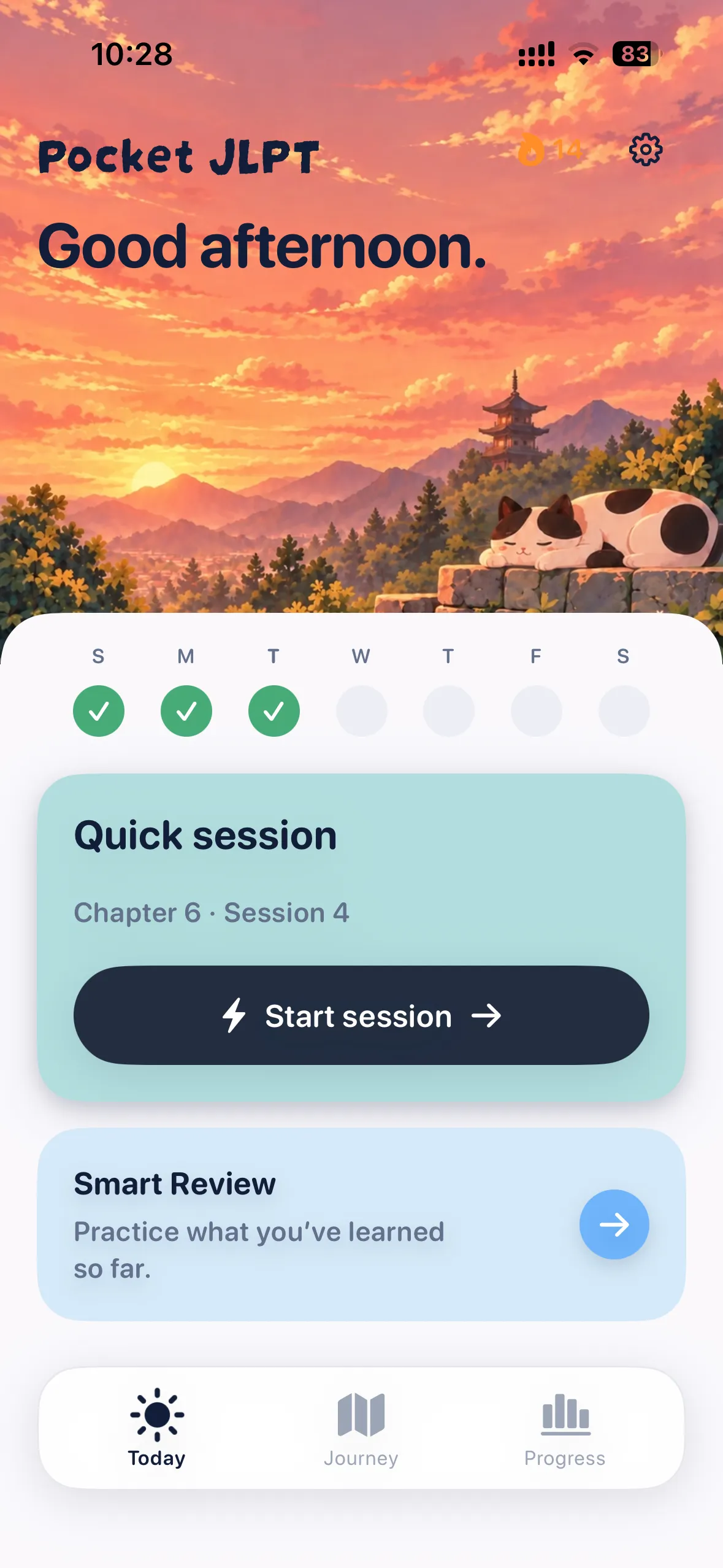
Know what to practice next.
Follow guided vocabulary and grammar sessions at your level.
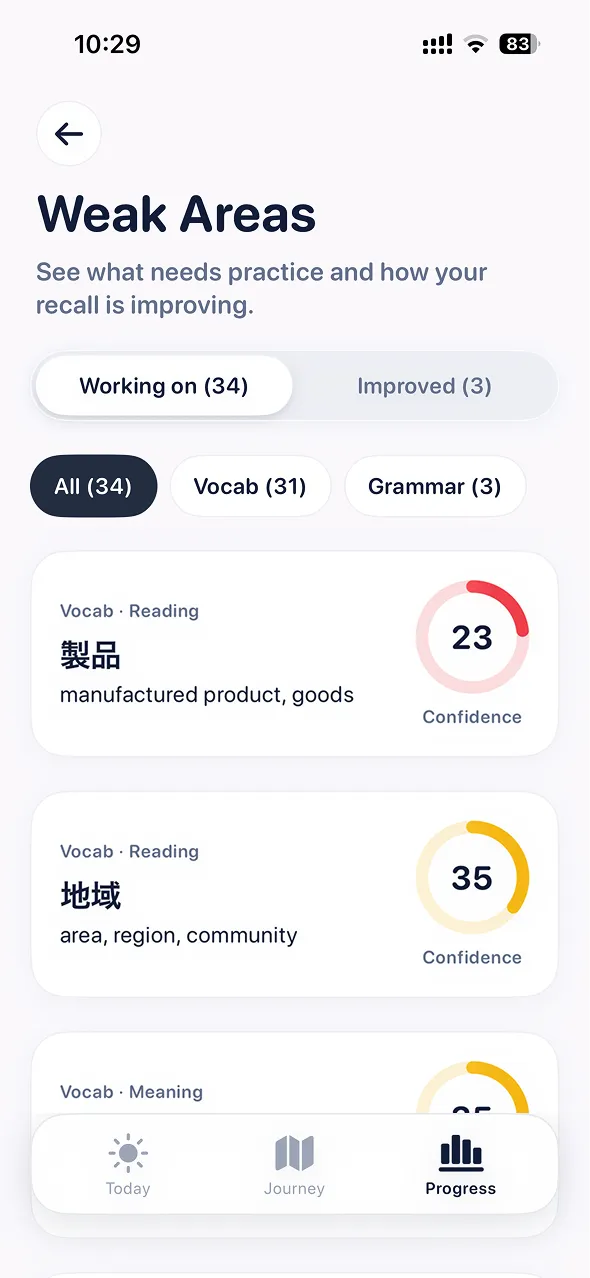
Work on your weak areas.
Read explanations and revisit the words and grammar you missed.
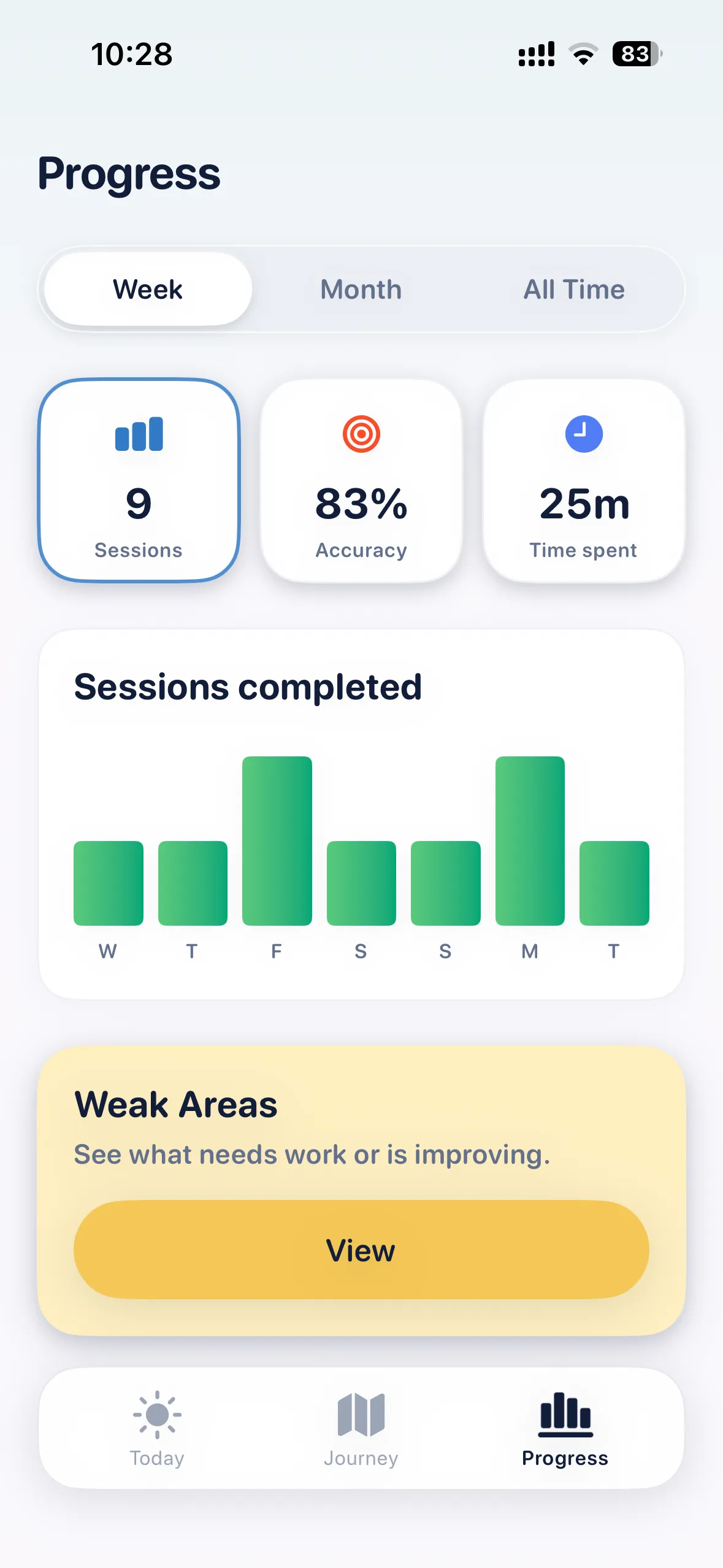
See your progress.
Track completed sessions, study time, and confidence.

Three free starter sessions at every level. iPhone & iPad.
Sources
- Pocket JLPT on the App Store
- Bunpro features and access
- Anki official website
- WaniKani learning method
- JLPT Official Practice Workbooks
Features and access can change. Check each provider’s current offers. Pocket JLPT is independent of the JLPT organizers.